

Configure delivery
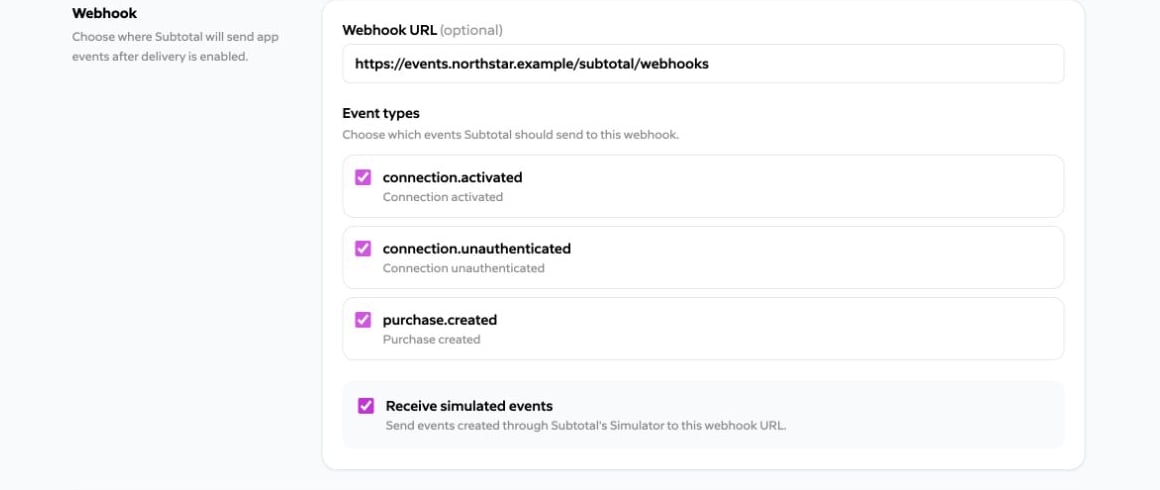
Enter a public HTTPS Webhook URL, then select any of the currently supported event types:connection.activatedconnection.unauthenticatedpurchase.created
connections:read permits the connection events, and purchases:brand_products is required for purchase.created.
Identify the installing dashboard team
Partner deliveries addsubtotal_client_id at the top level. Use it to route the event to the correct brand in your system.
id is stable across delivery replays. Make handlers idempotent by deduplicating on that ID within the installing dashboard team.
Delivery and retries
Partner endpoints follow the same delivery contract as dashboard-configured destinations: respond with any 2xx within 10 seconds, retryable failures get up to six attempts over roughly 17 hours 35 minutes, other 4xx and 3xx responses are terminal, and the eventid is reused on every retry. These rules differ for partner endpoints:
- Each delivery is signed with the app’s signing secret, not a per-destination secret. See Verify every request.
- The webhook URL must use HTTPS on port 443 and resolve only to public IP addresses. Subtotal checks this before every attempt. If the URL fails this check, the delivery is terminal and is not retried. A hostname that fails to resolve is retried on the normal schedule.
- When a brand disconnects the app, pending retries for that brand stop along with new deliveries. See Disconnect behavior.
Verify every request
Use the app’s signing secret to verify every delivery. See Verifying webhook signatures for the shared signing protocol and implementation guidance. Subtotal sends:
Compute the HMAC over the timestamp, one period, and the exact raw request body:
2xx response quickly. Parse JSON only after signature verification.
Rotate the signing secret
Use Rotate signing secret in Created Apps. Deploy the new value and keep the returned previous value as a verifier for no more than 24 hours. Pass both values insecrets during the overlap; afterward, remove the previous value.
Simulated events
Enable Receive simulated events to deliver events created through Subtotal’s Event Simulator to installed copies of this app. Leave it disabled if your endpoint should receive only non-simulated activity. When enabled, simulated events matching the app’s selected event types are sent to the same webhook endpoint as other events, withis_simulated: true at the top level so your handler can tell them apart.
Receive simulated events must be disabled for approved apps.