

Create a Custom Action in Yotpo
In your Yotpo admin, navigate to Manage Program → Rewards Program → Manage earning rules and clickCreate earning rule. Choose Custom Action.
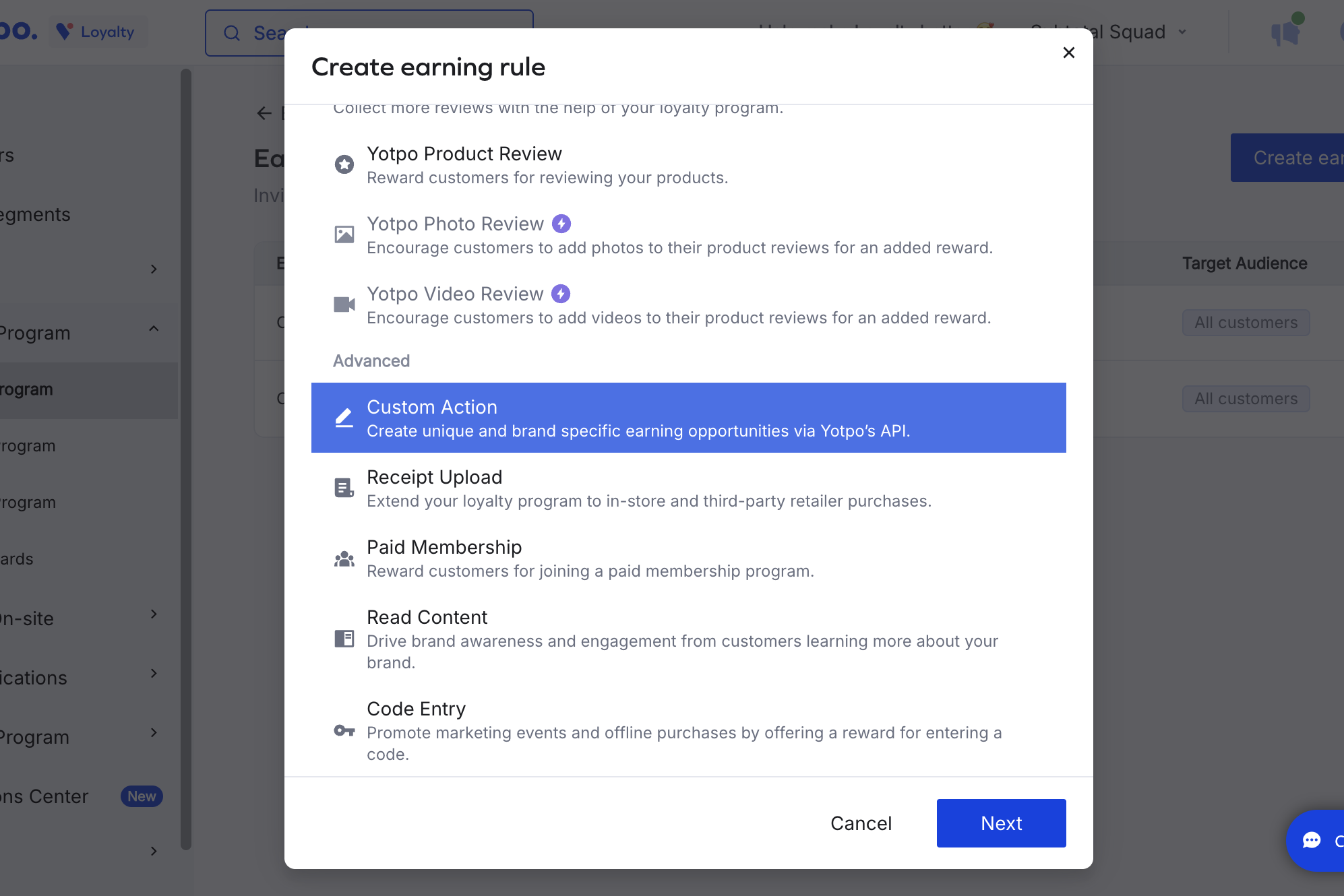
Made a Purchase). Save the rule.
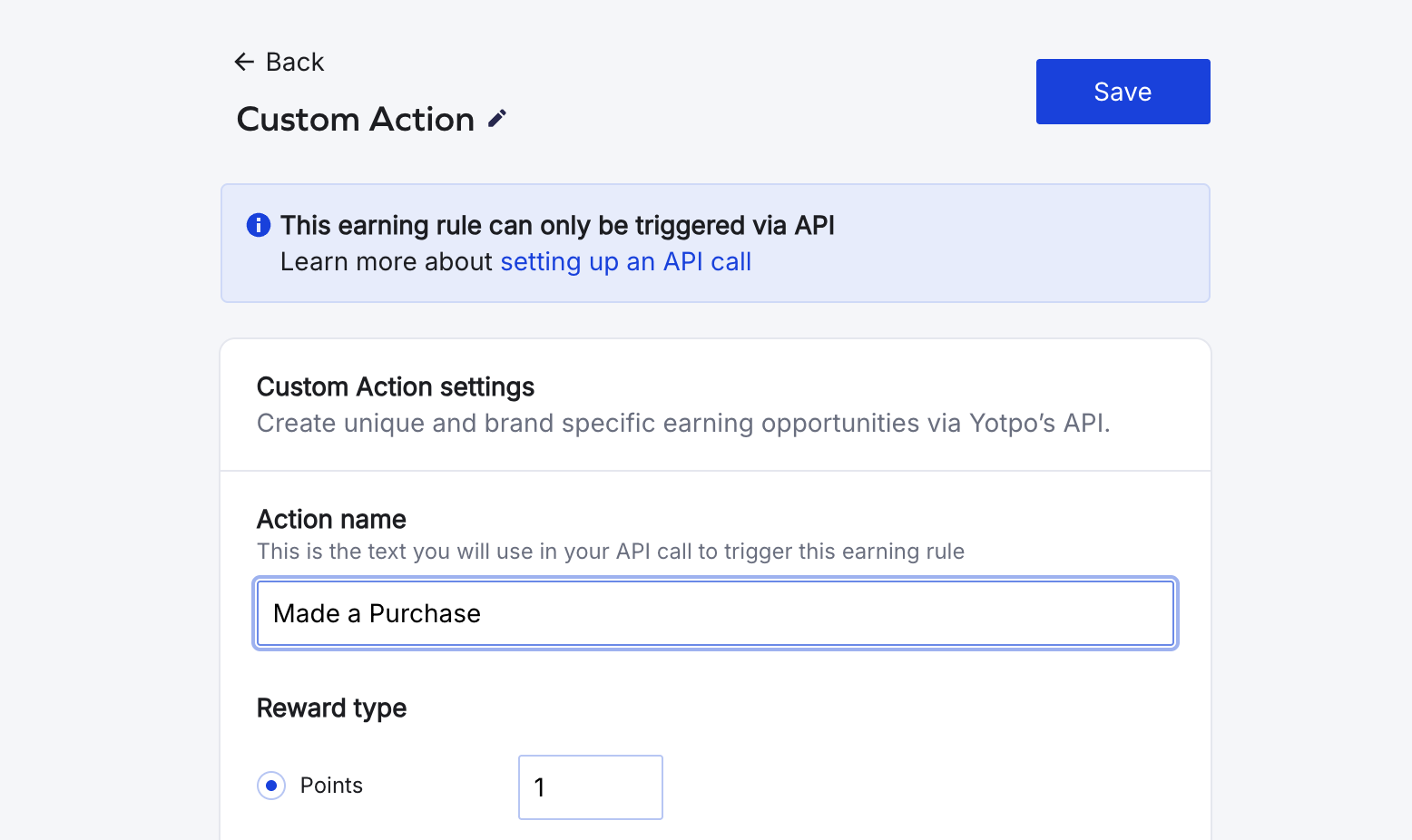
Subtotal pre-computes the points for each purchase and sends the value to Yotpo, so the points configured on this Yotpo rule are always overridden. You can leave the rule’s points at a placeholder value (e.g.
1) — the actual reward is calculated in Subtotal.Add the action in Subtotal
In the Subtotal Dashboard, navigate to your Yotpo integration and clickAdd action.
Choose purchase.created as the event, and set Action name to the same value you used on your Yotpo Custom Action. Optionally restrict to specific retailers, set Points per dollar, and set a Start date. Subtotal will only reward purchases made on or after the start date — this controls how much historical purchase data gets sent to Yotpo when a customer first links their account.
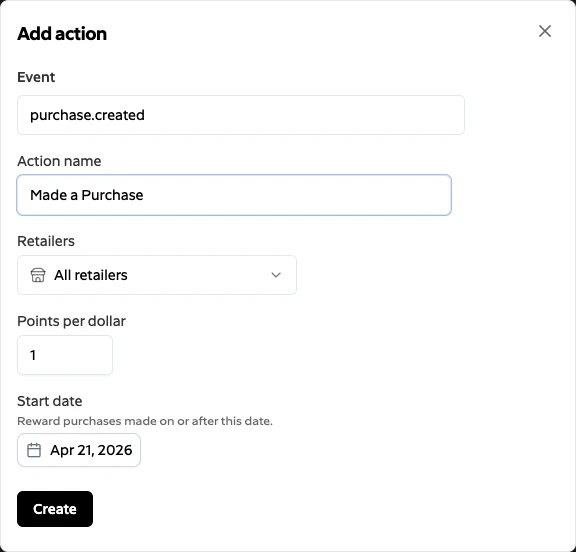
Create. Subtotal will now trigger the matching Custom Action in Yotpo for each qualifying purchase it collects.