

Create a Custom Action in Yotpo
In your Yotpo admin, navigate to Manage Program → Rewards Program → Manage earning rules and clickCreate earning rule. Choose Custom Action.
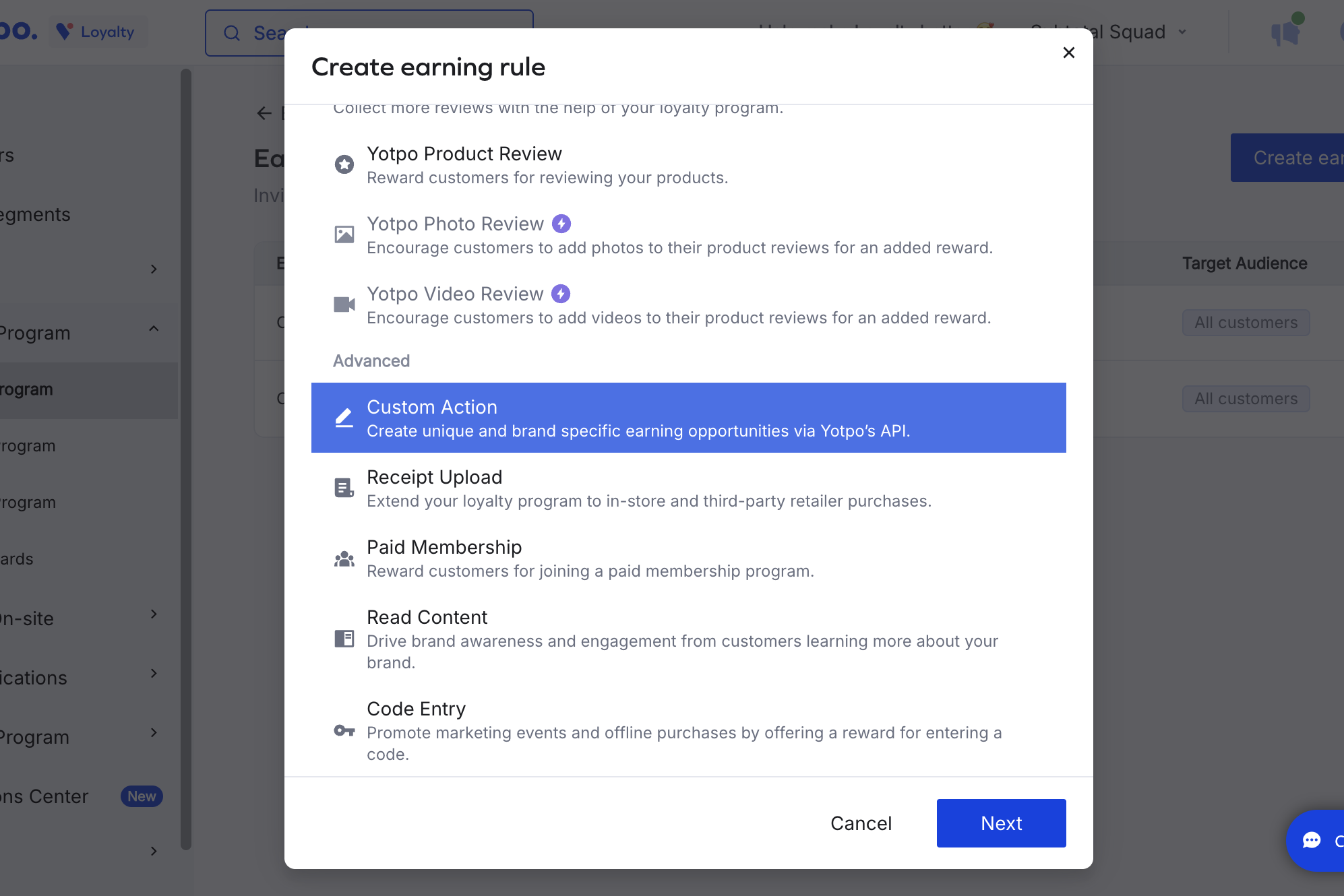
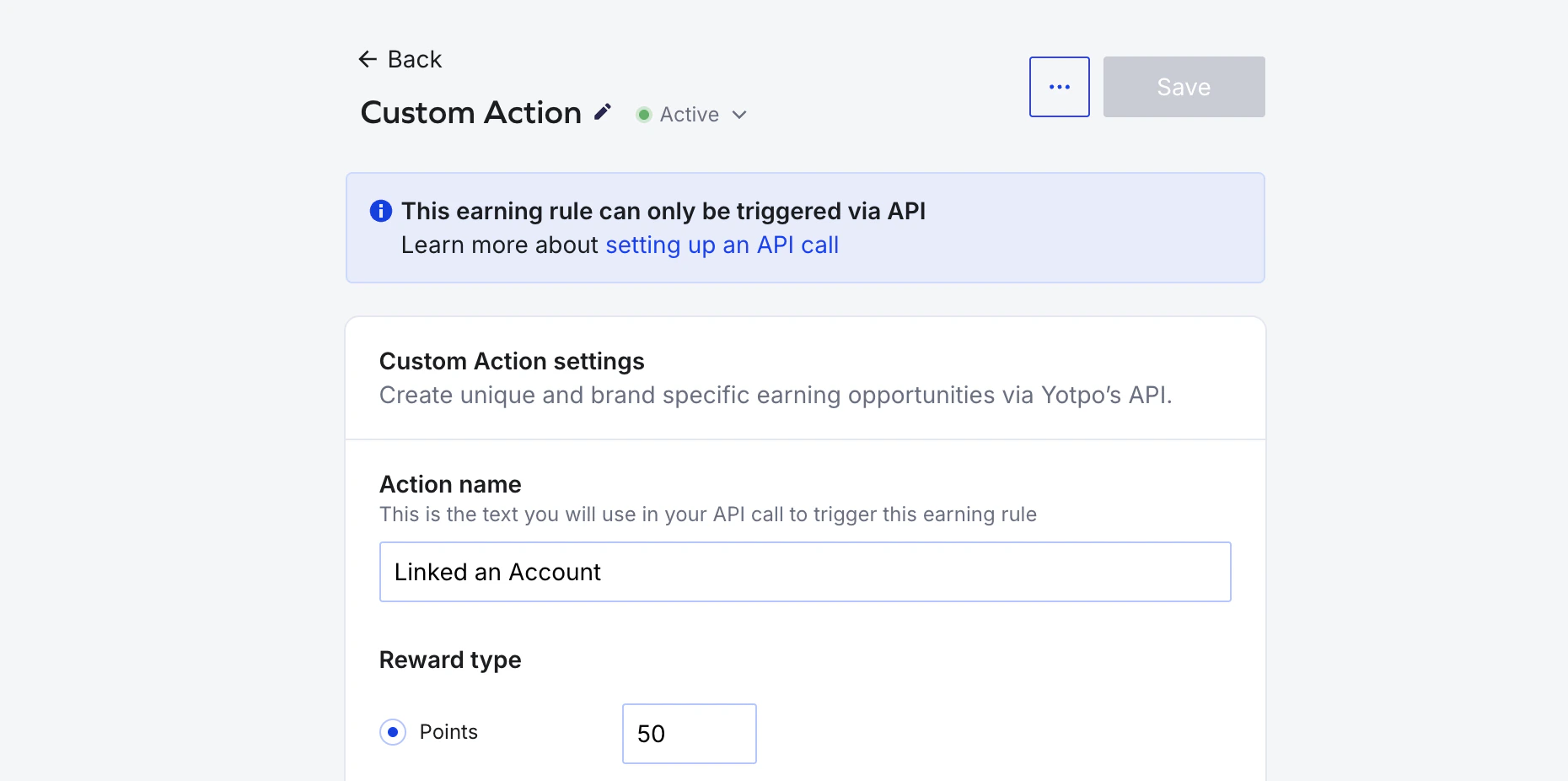
Linked an Account) and configure the Reward type as a fixed number of points. Save the rule.
Add the action in Subtotal
In the Subtotal Dashboard, navigate to your Yotpo integration and clickAdd action.
Choose account.linked as the event, and set Action name to the same value you used on your Yotpo Custom Action. Optionally restrict to specific retailers.
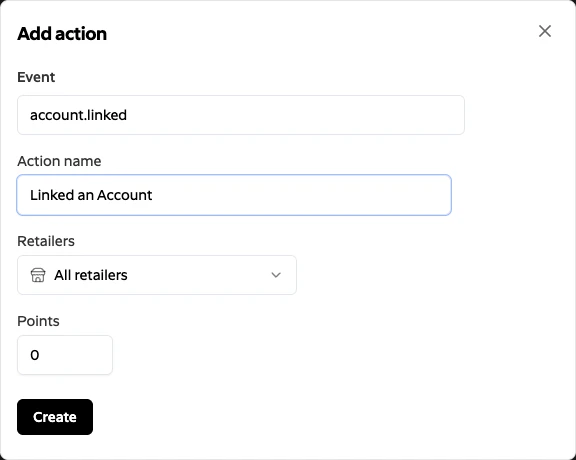
Subtotal does not send a point value for Yotpo
account.linked events — the points are taken from the rule you configured on the Yotpo Custom Action. The Points field in the Subtotal form is not used for Yotpo and can be left at 0.Create. Subtotal will now trigger the matching Custom Action in Yotpo whenever a customer links a qualifying retailer account.
Points are awarded on the first successful activation of each connection. Re-authenticating an existing connection (for example, after a retailer password change) does not re-award points. Creating a fresh connection after a disconnect will.