> ## Documentation Index
> Fetch the complete documentation index at: https://docs.subtotal.com/llms.txt
> Use this file to discover all available pages before exploring further.
# Subtotal Dashboard
> Manage your Subtotal account, API keys, Link experience, webhooks, and integrations in one place.
## Overview
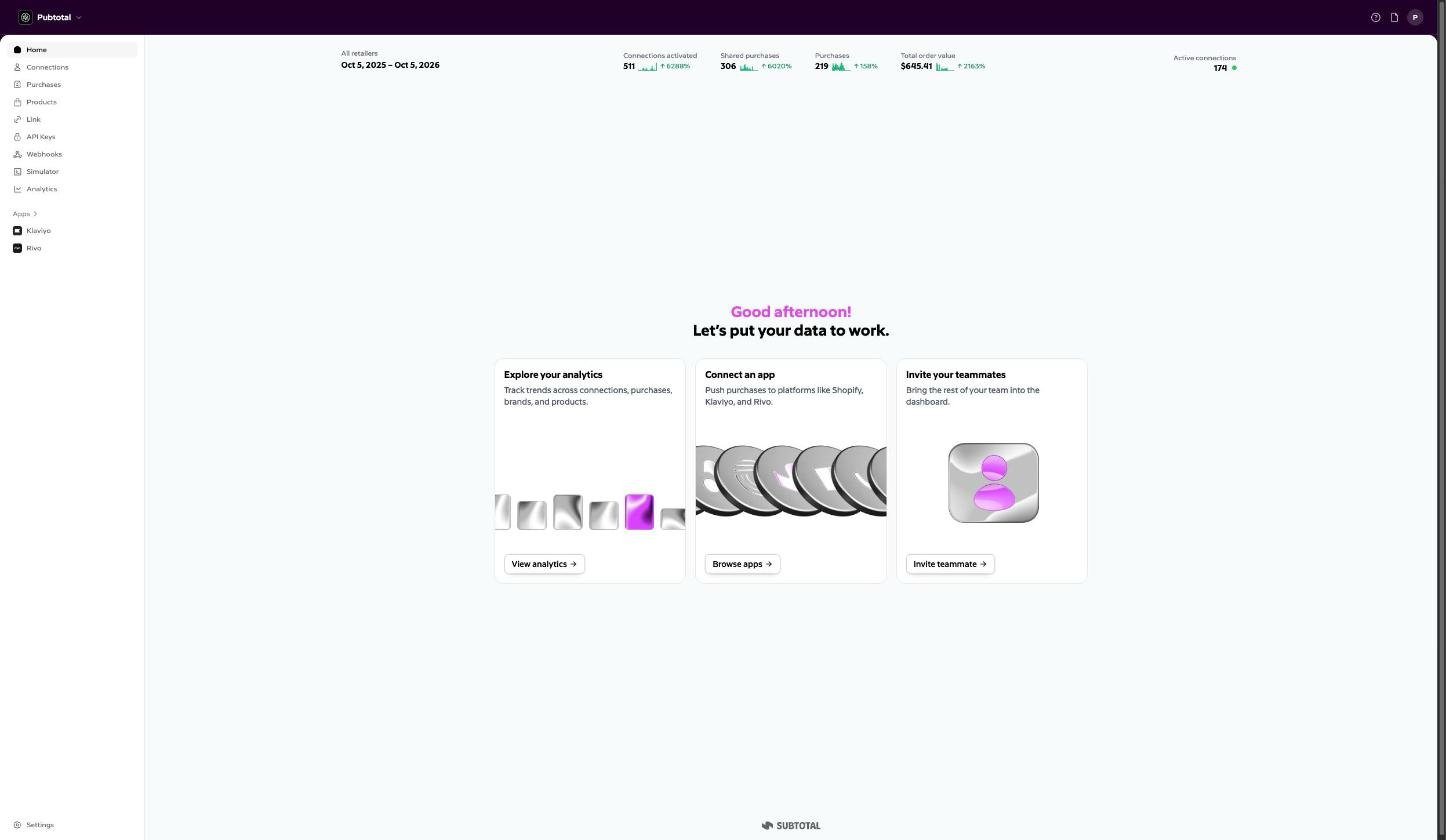
The [Subtotal Dashboard](https://dashboard.subtotal.com) is the web-based control center for your Subtotal account.
Use the Subtotal Dashboard to configure how your brand uses Subtotal, access data and insights, manage API access, set up webhooks and integrations, and test flows with simulated data.
 ## Getting access
Sign up at [https://dashboard.subtotal.com/sign-up](https://dashboard.subtotal.com/sign-up). Your dashboard opens locked, on a short form about your brand; submitting it is your access request. Once the Subtotal team approves it, someone on your team starts the subscription and the full dashboard unlocks. See [Getting Access](/docs/subtotal-dashboard/getting-access) for the full flow, and [Team & Roles](/docs/subtotal-dashboard/team-and-roles) for inviting teammates and managing roles.
## Subtotal Link
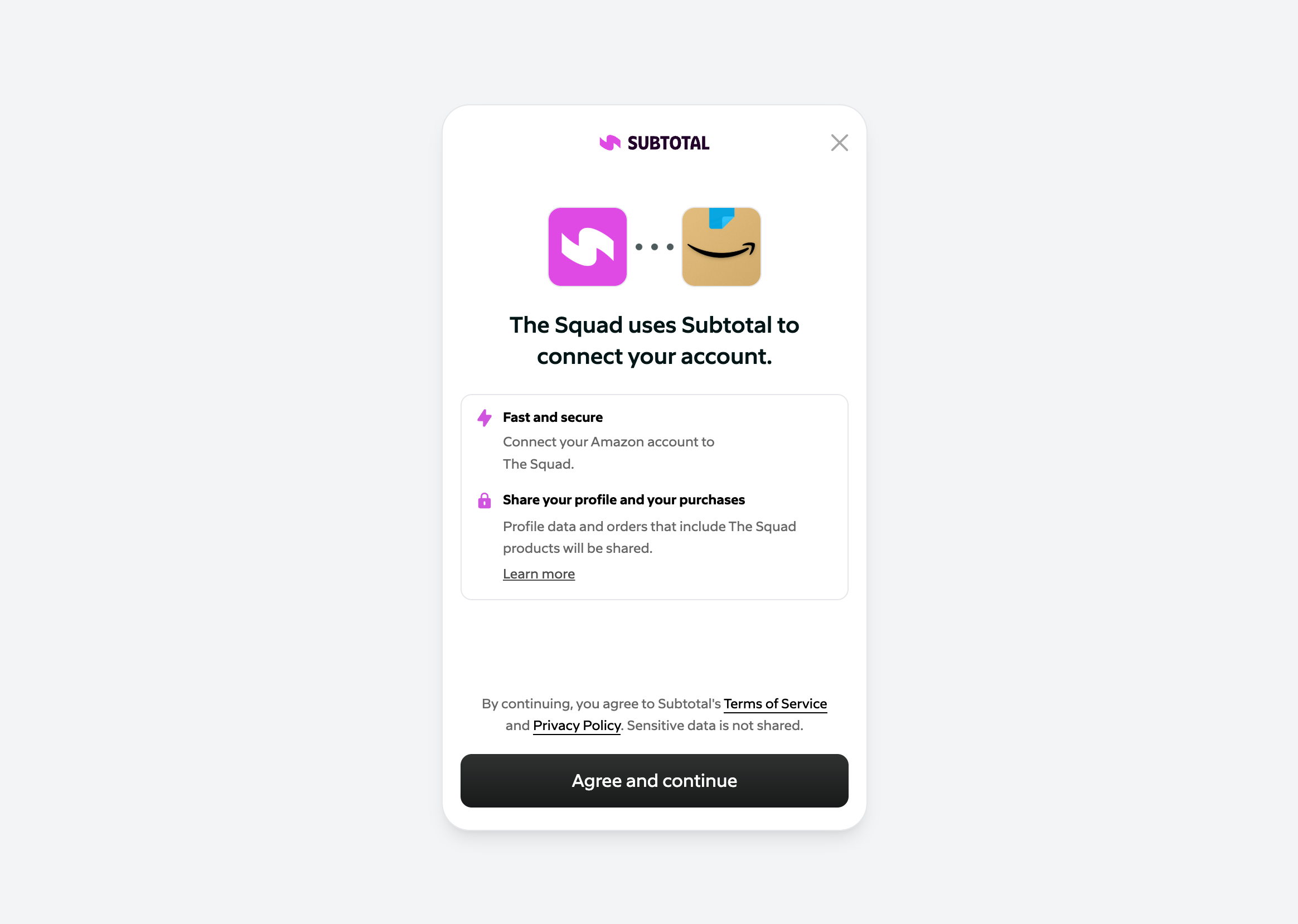
The first thing you'll want to do once you have access is configure Subtotal Link to use your brand name, icon, and retailers.
Check out our docs on [Subtotal Link](/docs/subtotal-link) to get started.
## Getting access
Sign up at [https://dashboard.subtotal.com/sign-up](https://dashboard.subtotal.com/sign-up). Your dashboard opens locked, on a short form about your brand; submitting it is your access request. Once the Subtotal team approves it, someone on your team starts the subscription and the full dashboard unlocks. See [Getting Access](/docs/subtotal-dashboard/getting-access) for the full flow, and [Team & Roles](/docs/subtotal-dashboard/team-and-roles) for inviting teammates and managing roles.
## Subtotal Link
The first thing you'll want to do once you have access is configure Subtotal Link to use your brand name, icon, and retailers.
Check out our docs on [Subtotal Link](/docs/subtotal-link) to get started.
 ## API keys
Create and manage API keys in the [Subtotal Dashboard](https://dashboard.subtotal.com/api-keys).
Authenticate your requests to the Subtotal API with a valid API key. See [Authentication](/docs/api-reference/introduction#authentication) in the API reference.
## Webhooks
In the Dashboard you add **webhook destinations**—the URLs where Subtotal sends event payloads when connections and purchases occur. Go to [Webhooks](https://dashboard.subtotal.com/webhooks) (or **Developers** → **Webhooks**), click **Add destination**, enter your HTTPS endpoint URL, choose which events to subscribe to, and save. The Dashboard shows a **signing secret** for each destination; use it to [verify webhook signatures](/docs/webhooks/verifying-signatures) in your endpoint. For each destination you can turn **simulated events** on or off so the [Event Simulator](/docs/event-simulator) can send test events to that URL. See [Webhooks](/docs/webhooks/introduction) for full details and [event types](/docs/webhooks/events).
## Event Simulator
The Dashboard includes an **Event Simulator** that allows you to simulate real-world events such as shoppers linking an account or buying a product.
See [Event Simulator](/docs/event-simulator) to learn how to simulate events.
## Apps
Connect Subtotal to third-party platforms under **Apps**.
See the relevant docs for each integration.
| App | What it does |
| :- | :- |
| [Attentive](/docs/integrations/attentive) | Create segments and trigger journeys with Subtotal events. |
| [Braze](/docs/integrations/braze) | Deliver real-time purchase data as custom events for campaigns and Canvas journeys. |
| [Klaviyo](/docs/integrations/klaviyo) | Create segments and trigger flows with Subtotal events. |
| [Rivo](/docs/integrations/rivo) | Reward customers for linking accounts and making purchases. |
| [Smile](/docs/integrations/smile) | Reward customers for linking accounts and making purchases. |
| [Yotpo](/docs/integrations/yotpo) | Reward customers for linking accounts and making purchases. |
## Team & billing
Manage team members and roles under **Settings → Team** (see [Team & Roles](/docs/subtotal-dashboard/team-and-roles)), and your plan and payment method under **Settings → Billing** (see [Billing & Plans](/docs/subtotal-dashboard/billing)).
This documentation is built and hosted on [Mintlify](https://mintlify.com), a developer documentation platform.
## API keys
Create and manage API keys in the [Subtotal Dashboard](https://dashboard.subtotal.com/api-keys).
Authenticate your requests to the Subtotal API with a valid API key. See [Authentication](/docs/api-reference/introduction#authentication) in the API reference.
## Webhooks
In the Dashboard you add **webhook destinations**—the URLs where Subtotal sends event payloads when connections and purchases occur. Go to [Webhooks](https://dashboard.subtotal.com/webhooks) (or **Developers** → **Webhooks**), click **Add destination**, enter your HTTPS endpoint URL, choose which events to subscribe to, and save. The Dashboard shows a **signing secret** for each destination; use it to [verify webhook signatures](/docs/webhooks/verifying-signatures) in your endpoint. For each destination you can turn **simulated events** on or off so the [Event Simulator](/docs/event-simulator) can send test events to that URL. See [Webhooks](/docs/webhooks/introduction) for full details and [event types](/docs/webhooks/events).
## Event Simulator
The Dashboard includes an **Event Simulator** that allows you to simulate real-world events such as shoppers linking an account or buying a product.
See [Event Simulator](/docs/event-simulator) to learn how to simulate events.
## Apps
Connect Subtotal to third-party platforms under **Apps**.
See the relevant docs for each integration.
| App | What it does |
| :- | :- |
| [Attentive](/docs/integrations/attentive) | Create segments and trigger journeys with Subtotal events. |
| [Braze](/docs/integrations/braze) | Deliver real-time purchase data as custom events for campaigns and Canvas journeys. |
| [Klaviyo](/docs/integrations/klaviyo) | Create segments and trigger flows with Subtotal events. |
| [Rivo](/docs/integrations/rivo) | Reward customers for linking accounts and making purchases. |
| [Smile](/docs/integrations/smile) | Reward customers for linking accounts and making purchases. |
| [Yotpo](/docs/integrations/yotpo) | Reward customers for linking accounts and making purchases. |
## Team & billing
Manage team members and roles under **Settings → Team** (see [Team & Roles](/docs/subtotal-dashboard/team-and-roles)), and your plan and payment method under **Settings → Billing** (see [Billing & Plans](/docs/subtotal-dashboard/billing)).
This documentation is built and hosted on [Mintlify](https://mintlify.com), a developer documentation platform.