> ## Documentation Index
> Fetch the complete documentation index at: https://docs.subtotal.com/llms.txt
> Use this file to discover all available pages before exploring further.
# Introduction
> Connect Yotpo and configure how customers are rewarded.
## Overview
Our integration with [Yotpo](https://yotpo.com) makes it easy to reward customers for linking accounts and making retail purchases.
Subtotal awards points in Yotpo by posting events to Yotpo's Custom Action API. Each action you configure in Subtotal maps to a matching Custom Action you've created in Yotpo — so Yotpo can apply its earning rule and display the reward in the customer's activity feed.
## Connect your Yotpo account
Sign in to the Subtotal Dashboard and connect your Yotpo account to enable the integration.
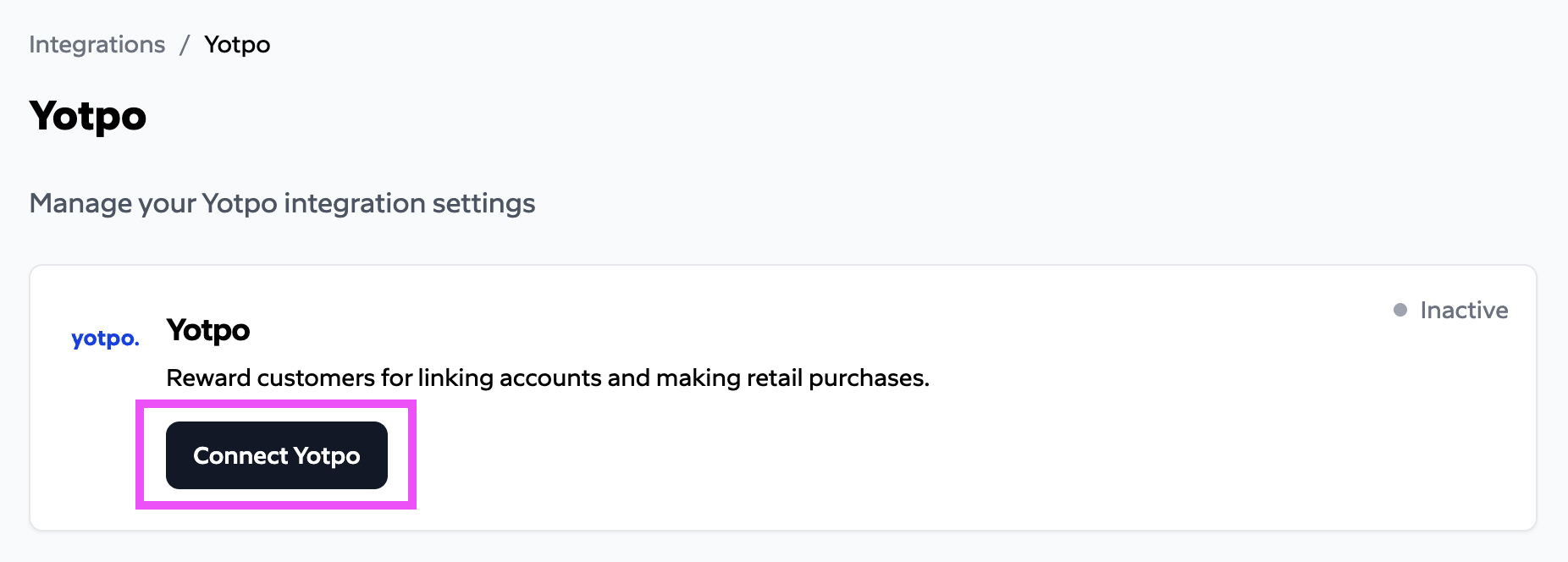
Navigate to [*Integrations → Yotpo → Connect*](https://dashboard.subtotal.com/integrations/yotpo).
Click the `Connect Yotpo` button.
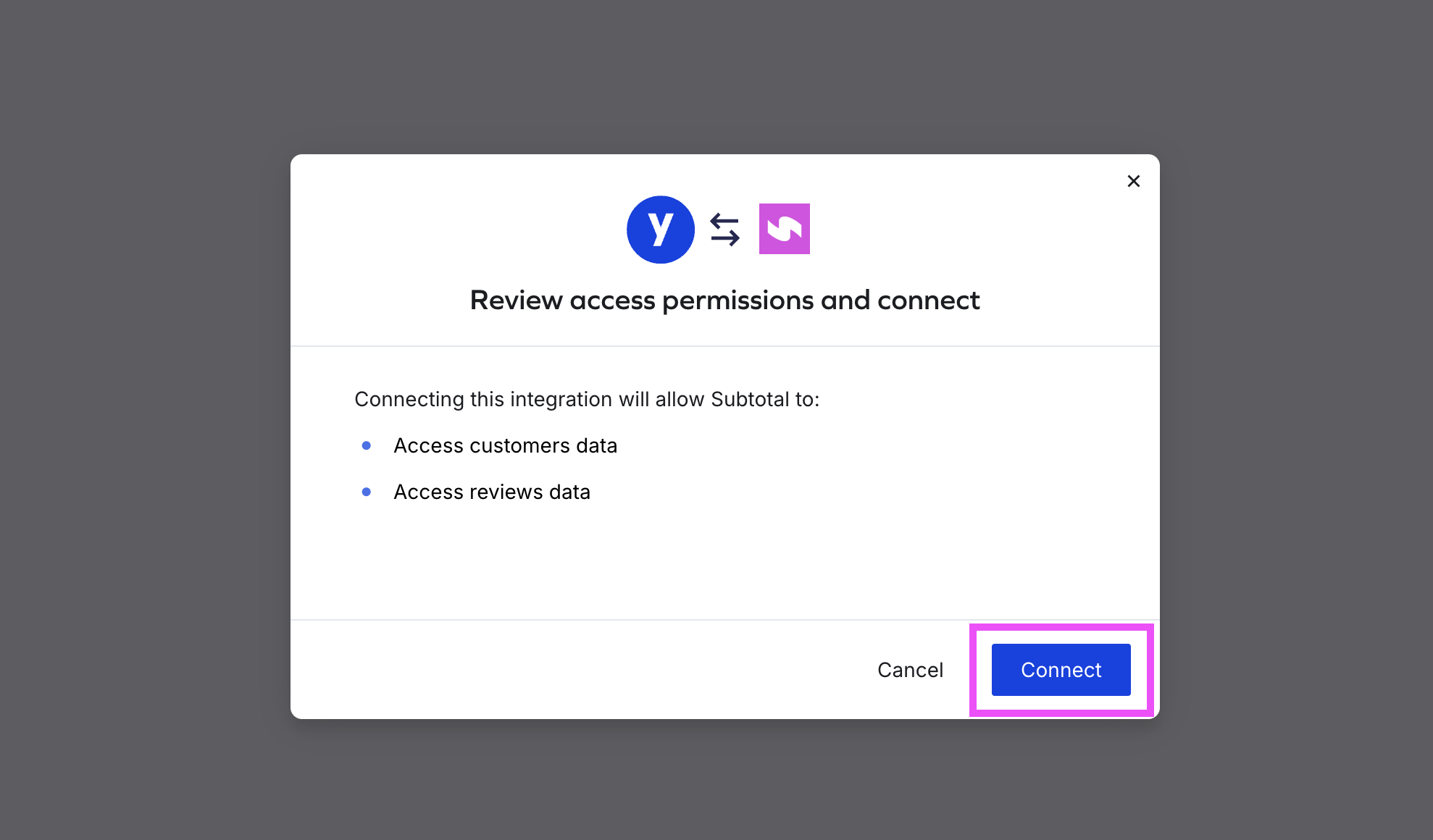
 Review the access permissions Subtotal requests, then click `Connect` to complete the OAuth handshake.
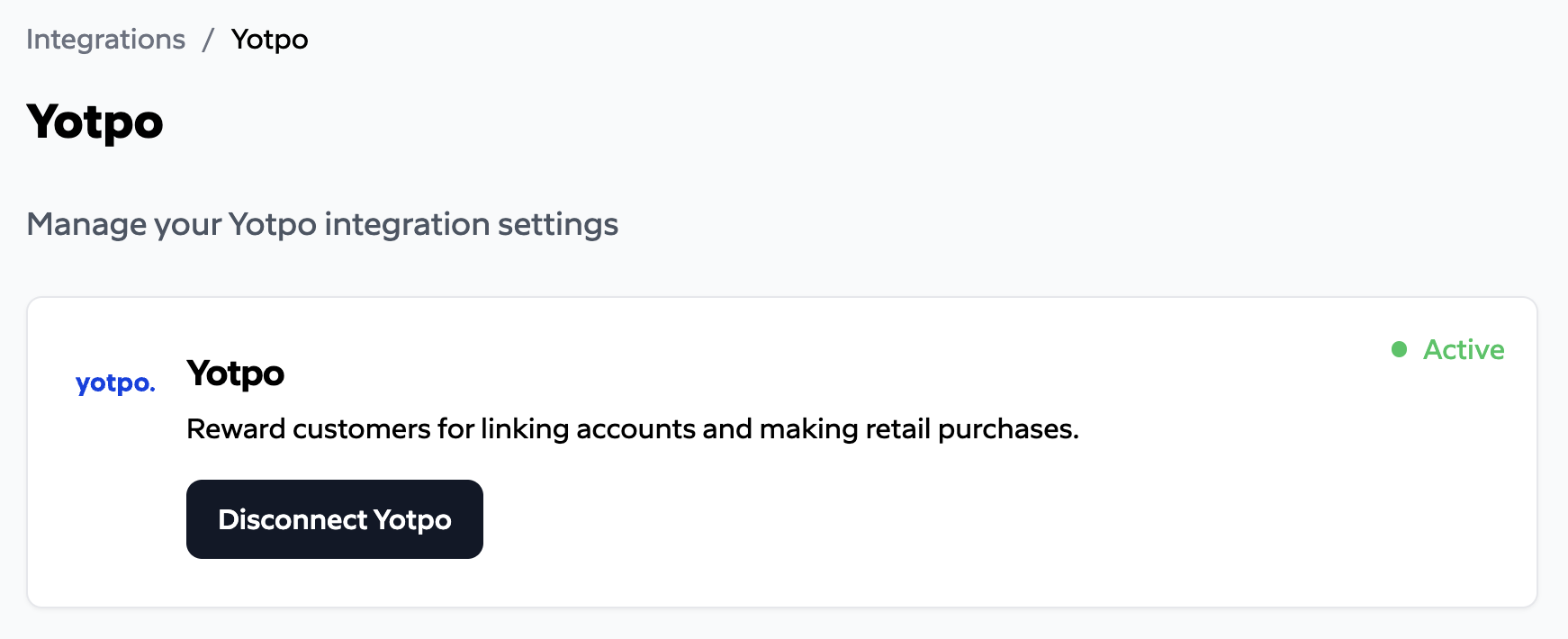
 You should now see an `Active` status on the Yotpo integration page.
 ## Configure actions
After connecting, configure the actions Subtotal should send to Yotpo. Each action maps a Subtotal event (an account being linked, a purchase being made) to a **Custom Action** you've set up in Yotpo. The **Action name** in Subtotal must match the Custom Action name in Yotpo exactly — that's how Yotpo applies the matching earning rule.
## Configure actions
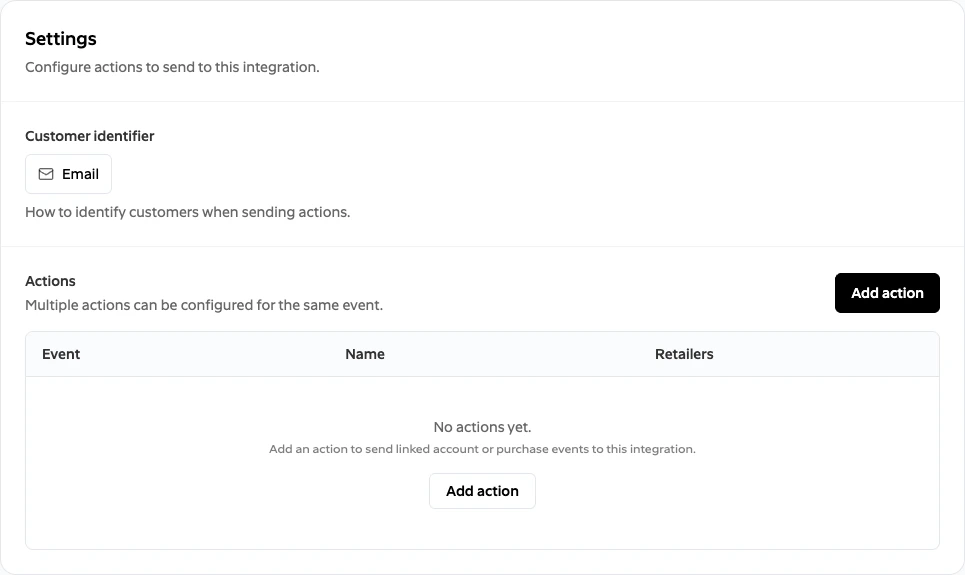
After connecting, configure the actions Subtotal should send to Yotpo. Each action maps a Subtotal event (an account being linked, a purchase being made) to a **Custom Action** you've set up in Yotpo. The **Action name** in Subtotal must match the Custom Action name in Yotpo exactly — that's how Yotpo applies the matching earning rule.
 | Setting | Description |
| ----------------------- | ---------------------------------------------------------------------------------------------------------------------------------------------- |
| **Customer identifier** | The field on the connection used to identify the customer in Yotpo: **Email**, **Customer ID**, or **Mobile**. |
| **Actions** | One or more event-to-Custom-Action mappings. Each action specifies the event type, the retailers it applies to, and how points are determined. |
To add an action, click `Add action` and choose an event:
| Field | Description |
| ------------------------------------------ | ----------------------------------------------------------------------------------------------------------------------------------------------------------------------------------------------------------------------------------------------------------------------------------------------------------------------------- |
| **Event** | `account.linked` (fired when a customer links a retailer account) or `purchase.created` (fired for each purchase Subtotal collects). |
| **Action name** | Must match the name of a Custom Action you've created in Yotpo. Subtotal sends this value in the `action_name` field so Yotpo can apply the right earning rule. |
| **Retailers** | Restrict the action to specific retailers, or apply it to all. |
| **Points** *(account.linked)* | Not used for Yotpo. Yotpo always uses the points configured on your Custom Action rule for `account.linked` events — this field has no effect. |
| **Points per dollar** *(purchase.created)* | Points awarded per dollar of spend on items Subtotal collects from the purchase. Subtotal computes points as `ceil(items_subtotal × points_per_dollar)` — where `items_subtotal` is the sum of `price × quantity` for each collected item — and sends the resulting integer to Yotpo. Taxes, shipping, and fees are excluded. |
| **Start date** *(purchase.created)* | Only purchases made on or after this date are rewarded. This controls how much historical purchase data gets sent to Yotpo when a customer first links their account. |
See [Rewarding linked accounts](/docs/integrations/yotpo/linked-account) and [Rewarding purchases](/docs/integrations/yotpo/purchases) for setting up each action end-to-end in Yotpo and Subtotal.
## Customer identification
When Subtotal posts an event to Yotpo, it always includes the customer's **email** (from the connection) plus the identifier value matching your configured type:
| Identifier type | Value sent to Yotpo as `customer_id` |
| --------------- | ------------------------------------ |
| **Email** | `email` |
| **Customer ID** | `customer_id` |
| **Mobile** | `phone_number` |
Because email is always sent alongside the configured identifier, the connection's `email` field should be populated regardless of which identifier type you choose. How the fields are captured depends on your setup:
* **Shopify app** — the customer's email is captured automatically from their Shopify profile. For `Customer ID` or `Mobile`, pass the value explicitly when launching Subtotal Link.
* **API integration** — include `email` and (if applicable) `customer_id` or `phone_number` when creating a connection via [`POST /connections`](/docs/api-reference/connections/create).
* **Subtotal Link query parameter** — pass `customer_id` (or the appropriate field) as a query parameter when launching Subtotal Link. See [Link URLs](/docs/subtotal-link/link-urls) and [Link accounts to your Shopify store](/docs/guides/shopify-subtotal-link).
Yotpo matches customers on both email and the configured identifier. If the connection doesn't have the email set, Yotpo may be unable to associate the event with a customer profile.
| Setting | Description |
| ----------------------- | ---------------------------------------------------------------------------------------------------------------------------------------------- |
| **Customer identifier** | The field on the connection used to identify the customer in Yotpo: **Email**, **Customer ID**, or **Mobile**. |
| **Actions** | One or more event-to-Custom-Action mappings. Each action specifies the event type, the retailers it applies to, and how points are determined. |
To add an action, click `Add action` and choose an event:
| Field | Description |
| ------------------------------------------ | ----------------------------------------------------------------------------------------------------------------------------------------------------------------------------------------------------------------------------------------------------------------------------------------------------------------------------- |
| **Event** | `account.linked` (fired when a customer links a retailer account) or `purchase.created` (fired for each purchase Subtotal collects). |
| **Action name** | Must match the name of a Custom Action you've created in Yotpo. Subtotal sends this value in the `action_name` field so Yotpo can apply the right earning rule. |
| **Retailers** | Restrict the action to specific retailers, or apply it to all. |
| **Points** *(account.linked)* | Not used for Yotpo. Yotpo always uses the points configured on your Custom Action rule for `account.linked` events — this field has no effect. |
| **Points per dollar** *(purchase.created)* | Points awarded per dollar of spend on items Subtotal collects from the purchase. Subtotal computes points as `ceil(items_subtotal × points_per_dollar)` — where `items_subtotal` is the sum of `price × quantity` for each collected item — and sends the resulting integer to Yotpo. Taxes, shipping, and fees are excluded. |
| **Start date** *(purchase.created)* | Only purchases made on or after this date are rewarded. This controls how much historical purchase data gets sent to Yotpo when a customer first links their account. |
See [Rewarding linked accounts](/docs/integrations/yotpo/linked-account) and [Rewarding purchases](/docs/integrations/yotpo/purchases) for setting up each action end-to-end in Yotpo and Subtotal.
## Customer identification
When Subtotal posts an event to Yotpo, it always includes the customer's **email** (from the connection) plus the identifier value matching your configured type:
| Identifier type | Value sent to Yotpo as `customer_id` |
| --------------- | ------------------------------------ |
| **Email** | `email` |
| **Customer ID** | `customer_id` |
| **Mobile** | `phone_number` |
Because email is always sent alongside the configured identifier, the connection's `email` field should be populated regardless of which identifier type you choose. How the fields are captured depends on your setup:
* **Shopify app** — the customer's email is captured automatically from their Shopify profile. For `Customer ID` or `Mobile`, pass the value explicitly when launching Subtotal Link.
* **API integration** — include `email` and (if applicable) `customer_id` or `phone_number` when creating a connection via [`POST /connections`](/docs/api-reference/connections/create).
* **Subtotal Link query parameter** — pass `customer_id` (or the appropriate field) as a query parameter when launching Subtotal Link. See [Link URLs](/docs/subtotal-link/link-urls) and [Link accounts to your Shopify store](/docs/guides/shopify-subtotal-link).
Yotpo matches customers on both email and the configured identifier. If the connection doesn't have the email set, Yotpo may be unable to associate the event with a customer profile.