> ## Documentation Index
> Fetch the complete documentation index at: https://docs.subtotal.com/llms.txt
> Use this file to discover all available pages before exploring further.

# Customer segments

> Create Klaviyo segments from Subtotal events.

Subtotal events can be used directly in Klaviyo segments.

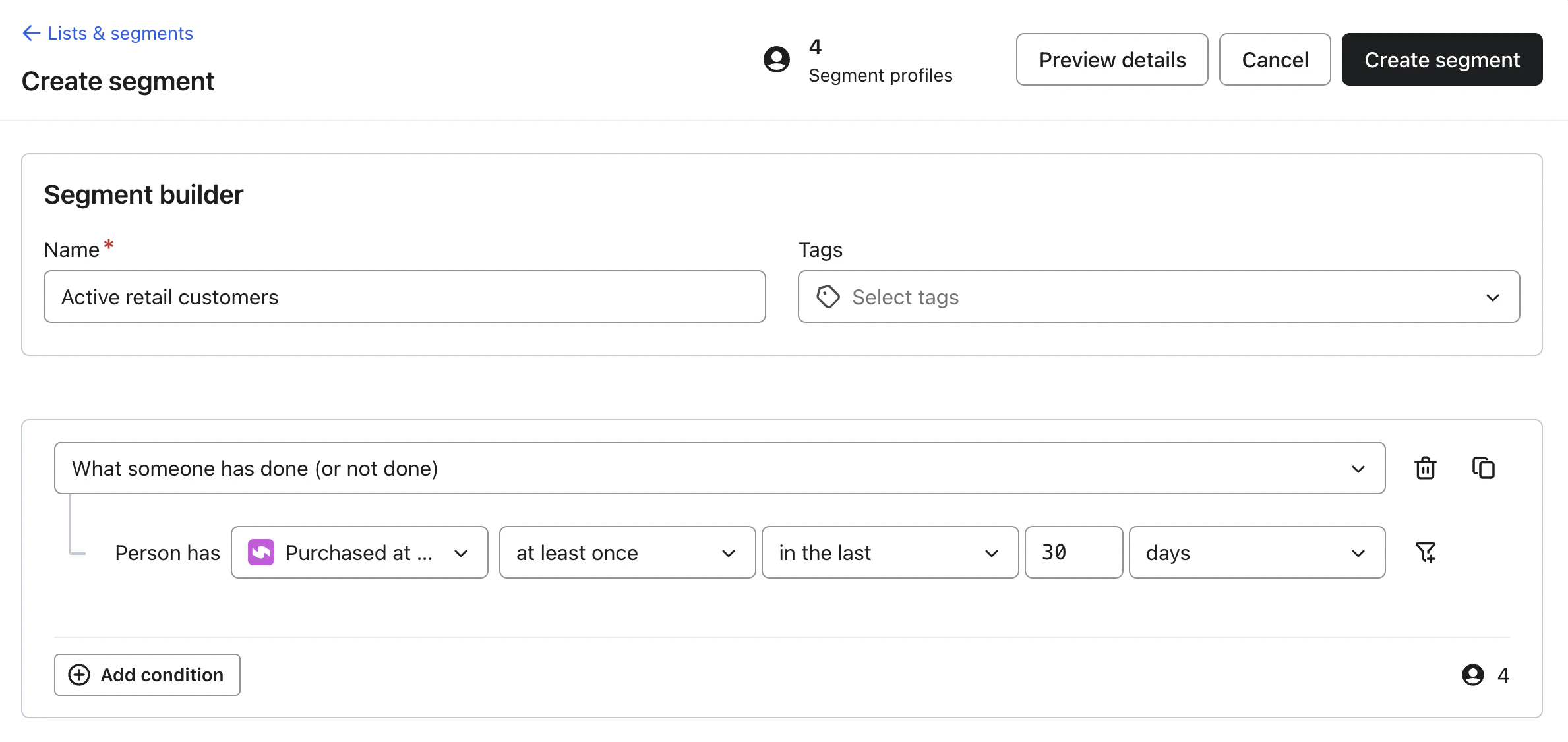
## Example: Active retail customers

1. In Klaviyo, navigate to **Audience → Segments**
2. Click **Create Segment**
3. Choose **What someone has done**
4. Select **Purchased at Retailer**
<img src="https://mintcdn.com/typecastleinc/-z3jOmmxdqgA1sev/images/integrations/klaviyo/klaviyo-segment-1.png?fit=max&auto=format&n=-z3jOmmxdqgA1sev&q=85&s=718ed629fc6bae8b7cade6862901ebee" alt="klaviyo segment" className="rounded-lg border border-gray-100" width="2378" height="1126" data-path="images/integrations/klaviyo/klaviyo-segment-1.png" />

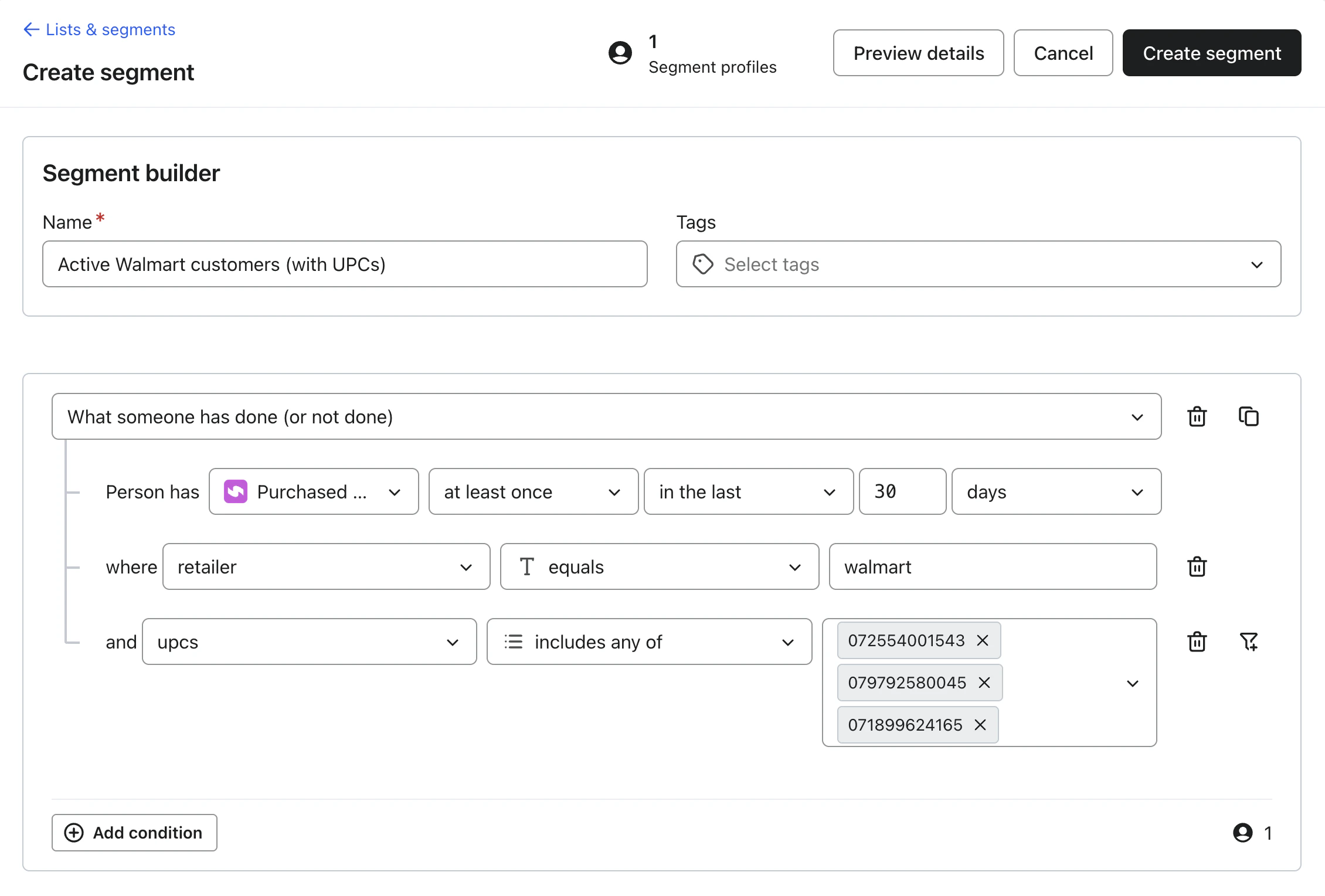
5. Optional: Filter on **retailer** or **UPCs**
<img src="https://mintcdn.com/typecastleinc/oGwYqwxb_MrxB7nG/images/integrations/klaviyo/klaviyo-segment-4.png?fit=max&auto=format&n=oGwYqwxb_MrxB7nG&q=85&s=cfd41921b5b36170dea68b3b7385f2af" alt="klaviyo segment with UPCs" className="rounded-lg border border-gray-100" width="2260" height="1528" data-path="images/integrations/klaviyo/klaviyo-segment-4.png" />
